Recipe: tiered sale
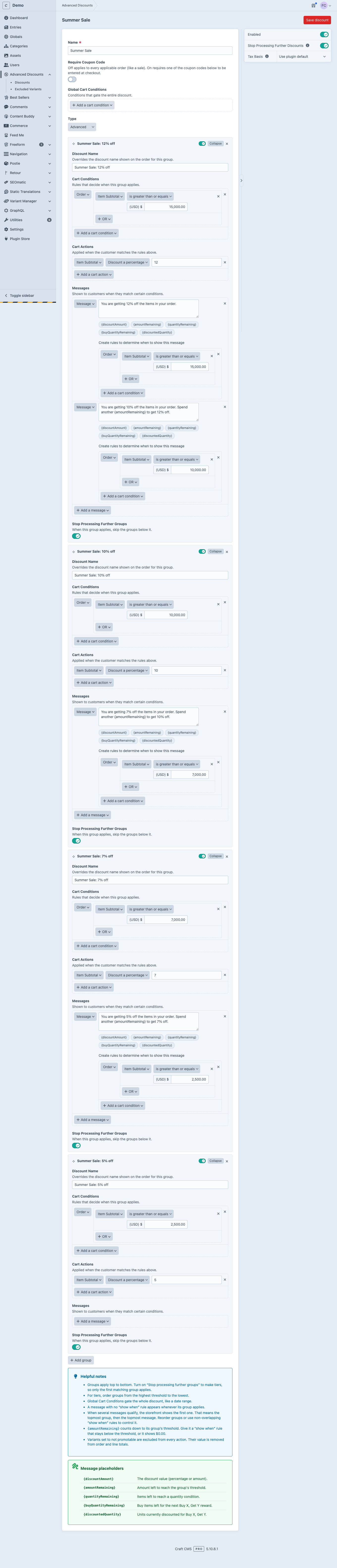
Goal: a sale running through July and August where the discount grows with the cart value.
- Spend $2,500, get 5% off
- Spend $7,000, get 7% off
- Spend $10,000, get 10% off
- Spend $15,000, get 12% off
Each tier is one group inside a single discount, with its own conditions, actions, and messages.
Create a new discount and name it “Summer Sale”.
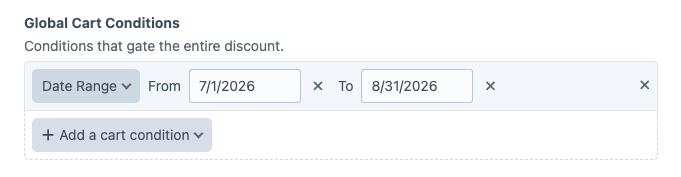
Set a Global Cart Condition covering July and August.
Set Type to Advanced.
Groups are processed top to bottom, and each tier stops the ones below it, so build the highest tier first and work down.
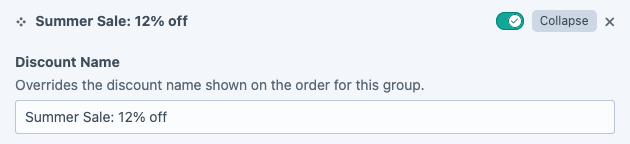
Start with the 12% tier. Give the group a Discount Name that names the tier.
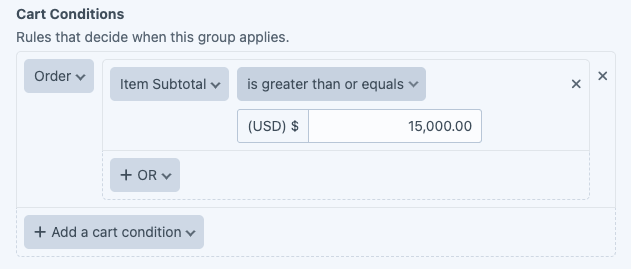
Set the Cart Conditions for the tier: an item subtotal of $15,000 or more.
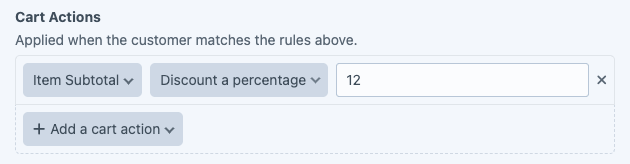
Add a Cart Action giving 12% off.
Add a message telling the customer they have qualified for 12% off.
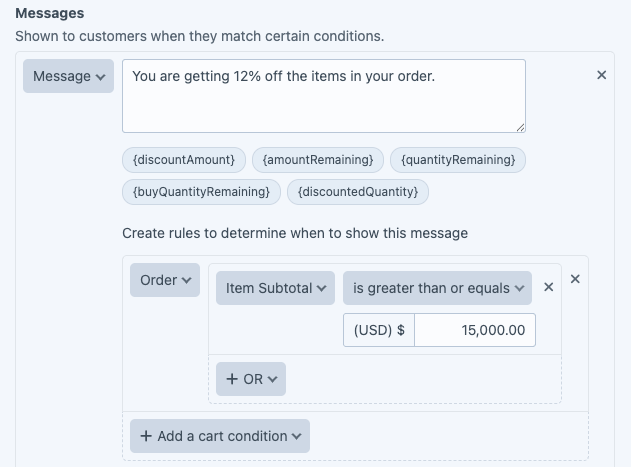
Add a second message in the same group to show how far the customer is from the tier. Use the placeholder tokens to fill in the live figures. See Messages for the full list.
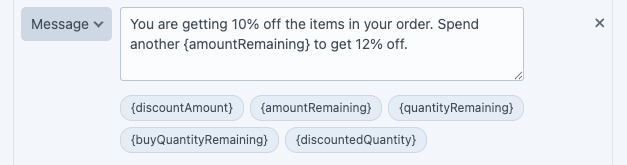
Give that second message its own show-when rule so it only appears below the threshold: an item subtotal of $10,000 or more.
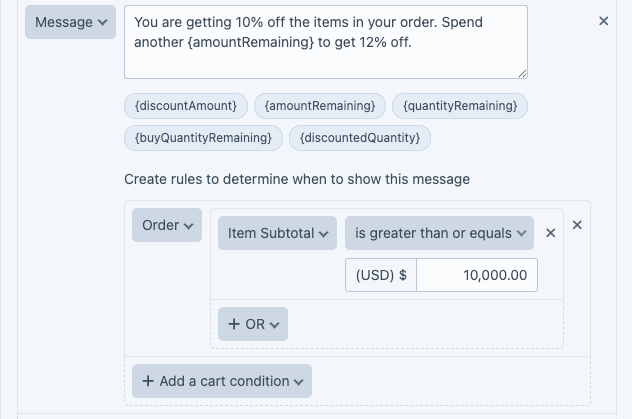
A group takes as many messages as you need.
Turn on Stop Processing Further Groups so a cart that reaches this tier does not also pick up the lower ones.
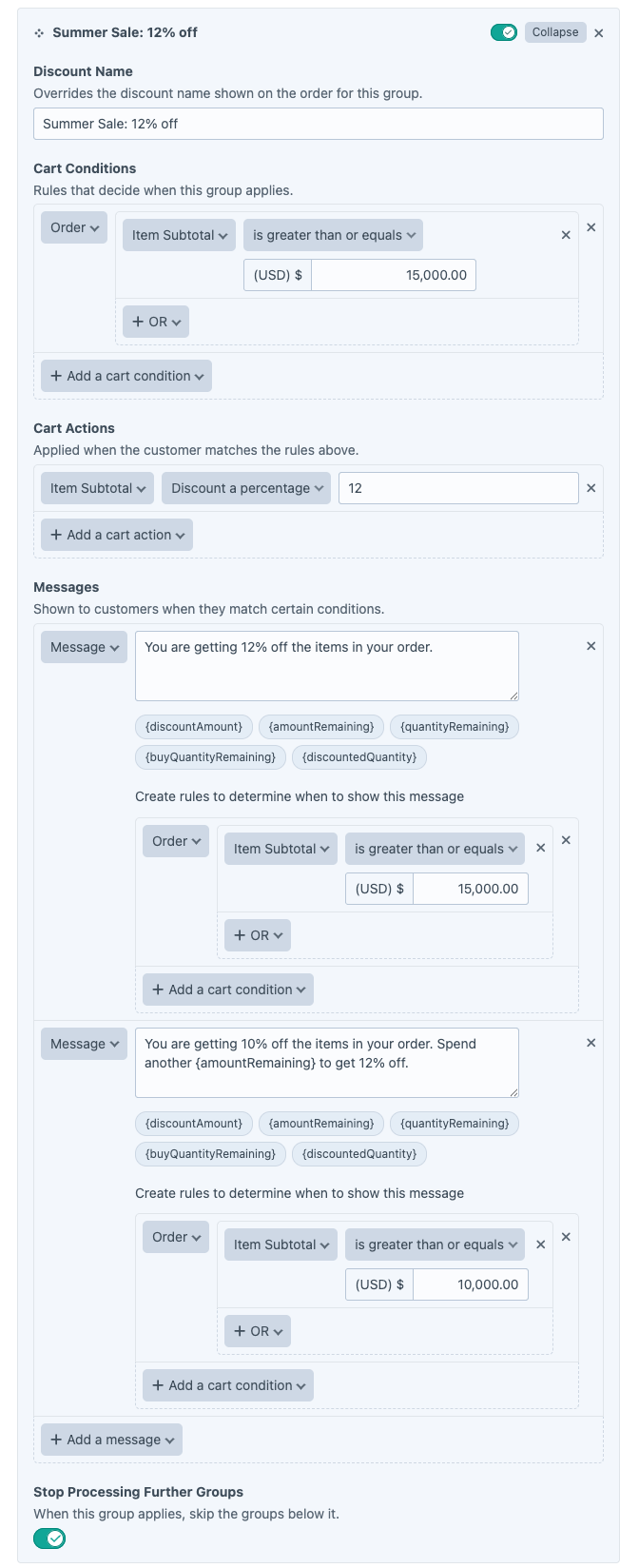
Add a group per remaining tier, in descending order.
Where to go next#
- Messages, the full token list and how show-when rules work.
- Displaying promotional messages, rendering the messages on the storefront.