Recipe: coupon to get 10% off all products
Goal: a single coupon code that takes 10% off every product in the cart, and stops any other discount stacking on top.
Go to Advanced Discounts -> Discounts and click New discount. Name it “Site-wide coupon”.
The discount should only apply when the customer enters a code, so turn on Require Coupon Code.
Click Add a coupon and enter BIG10 in the Code field. Leave Max Uses blank for unlimited.

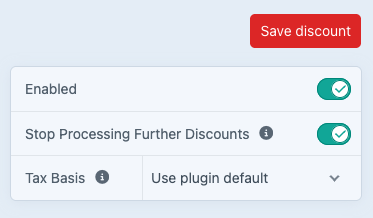
Turn on Stop Processing Further Discounts at the top right, so nothing else applies alongside this coupon.
There are no restrictions beyond the code itself, so leave Global Cart Conditions empty.
Leave Type on Advanced, the default.
Give the group a Discount Name. That is what the customer sees in the checkout once the coupon applies.
Skip Cart Conditions, since the code is the only condition, and go to Cart Actions.
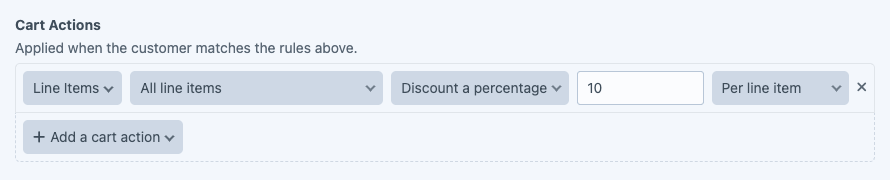
Add a Line Items action. Leave Apply to on All line items, choose Discount a percentage, enter 10, and leave Apply per on Per line item.
Skip Messages. The customer already sees the coupon applied in the cart.
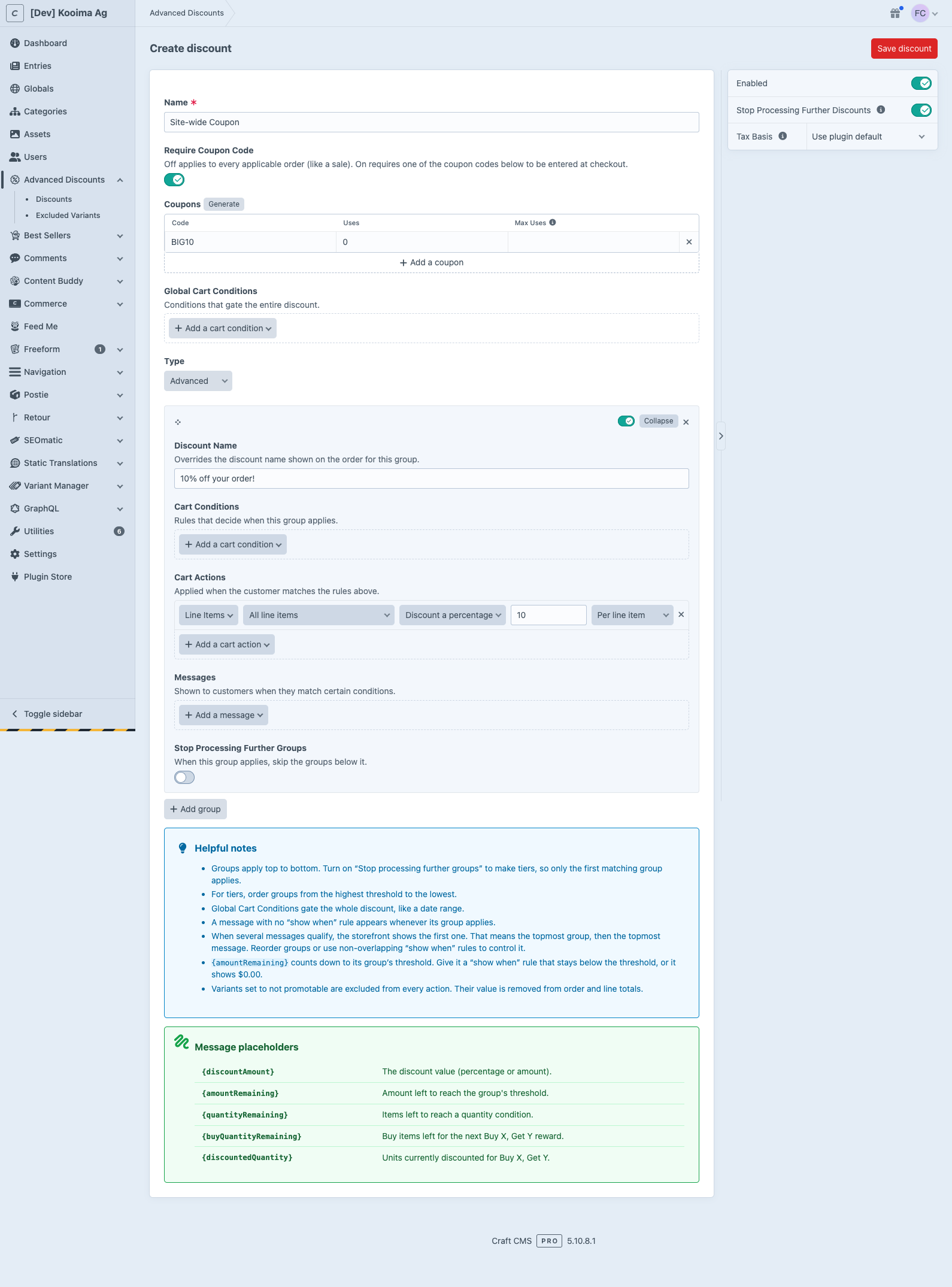
Click Save discount.
Drag the discount to the top of the index so it is processed first.
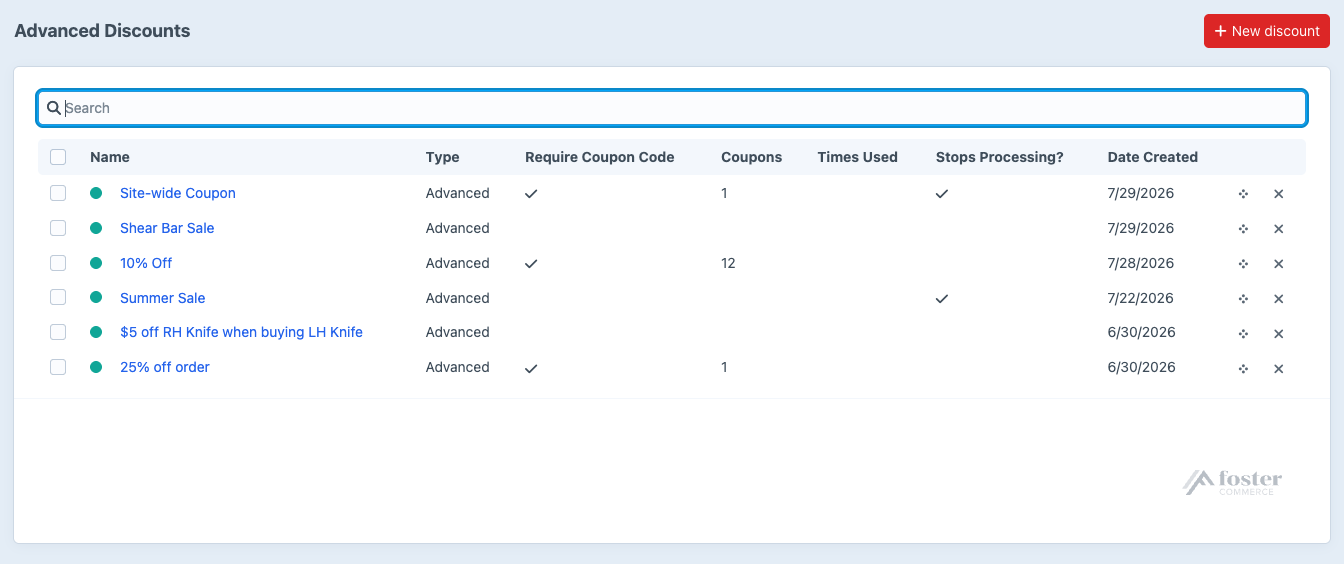
Entering BIG10 at checkout now takes 10% off every line in the order.
Where to go next#
- Coupon Codes, generating codes in bulk and setting usage limits.
- Cart Actions, the other actions a group can run.