Payments
How money received is recorded, applied to invoice lines or orders, and reversed.
Recording a payment#
Recording, applying and reversing payments needs the Issue invoices, record payments and apply them permission.
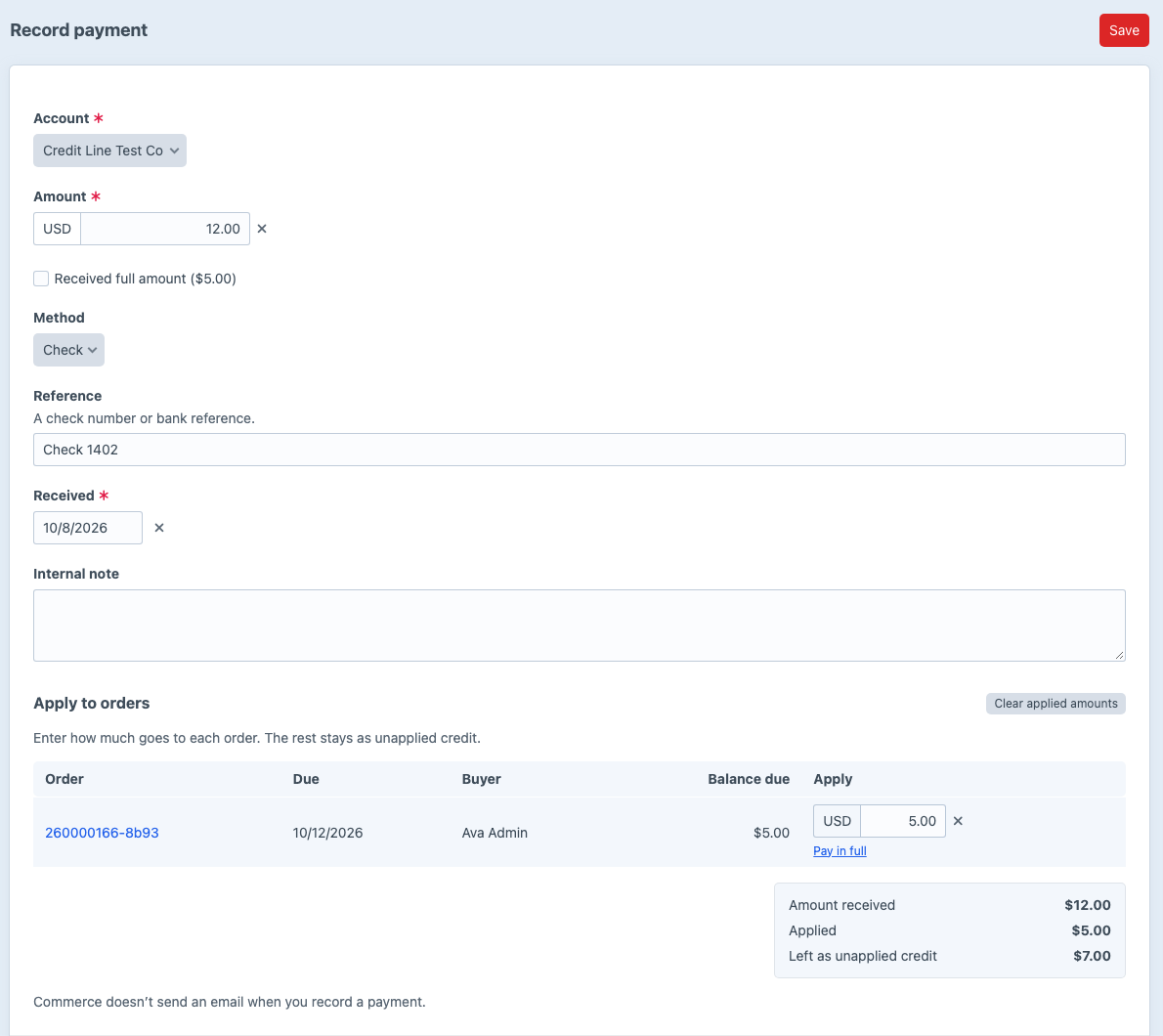
Go to Net Terms -> Payments -> Record payment, or click Record payment on an account’s Payments tab or an invoice.
- Choose the Account. The form lists what the account still owes on: invoice lines with a balance, or in order billing its unpaid and partially paid orders, oldest due first.
- Enter the Amount, Method (card, check, ACH, wire or other) and Reference, such as the check number. Use Card for a card payment taken by phone or terminal.
- Under Apply to invoice lines or Apply to orders, enter how much of the payment covers each one, as the payer’s remittance says.
- Click Save.
Three shortcuts fill the amounts for you:
- Checking Received full amount sets the amount to the total of the balances listed, and applies it to each line or order, oldest due first.
- Pay in full under a line or order applies its whole balance.
- Clear applied amounts empties every amount.
Amount received, Applied and Left as unapplied credit update as you type, and a warning shows when the applied amounts are more than the payment.
The payment and the amounts you applied save together. If the amounts add up to more than the payment, or one is more than its balance, Net Terms saves neither the payment nor the amounts. The form shows why.
Any amount you don’t apply stays on the account as unapplied credit. It doesn’t change what any buyer owes or reopen any buyer’s credit until you apply it.
Applying unapplied credit#
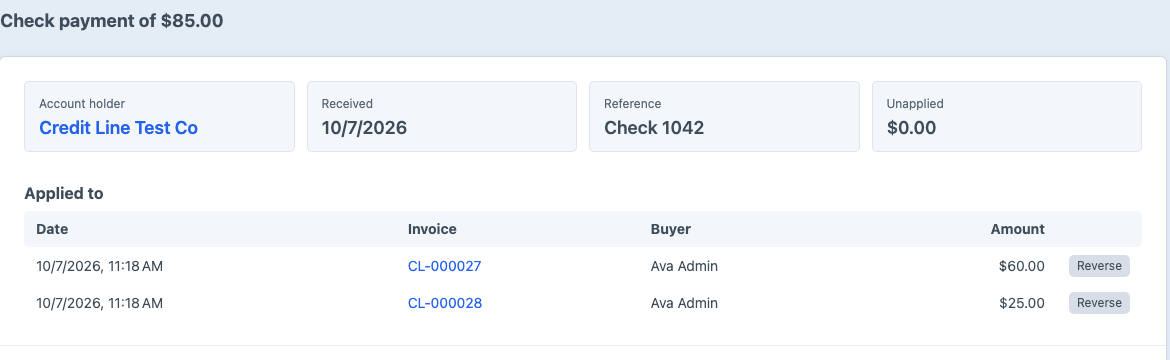
On a payment’s page, the same table lists what the account still owes on. Enter the amounts and click Save. Applying a payment takes the amount off what the buyer owes, which frees the same amount of their credit.
Reversing an application#
To undo an application, click Reverse beside it on the payment or invoice page. The amount goes back onto the buyer and back to the payment’s unapplied credit. In invoice billing, the ledger keeps both the payment and its reversal. In order billing, Net Terms adds a refund transaction to the order instead; see changes after checkout.