Getting started
Net Terms is a Craft Commerce payment gateway that bills orders on net terms, tracks what each buyer owes, and applies recorded payments to invoices or orders.
This walks you from composer require to an invoice for an order charged to an account. By the end you know how an account, its buyers, the gateway and an invoice fit together.
1. Requirements#
- Craft CMS
^5.10.0 - Craft Commerce
^5.4.0 - PHP
^8.2
2. Install#
composer require fostercommerce/commerce-net-terms
./craft plugin/install net-terms
3. Configure#
Go to Settings -> Plugins -> Net Terms. Once you build a storefront invoice page, set Storefront invoice path so invoice emails link to it. For every setting, see configuration.
4. Add the gateway#
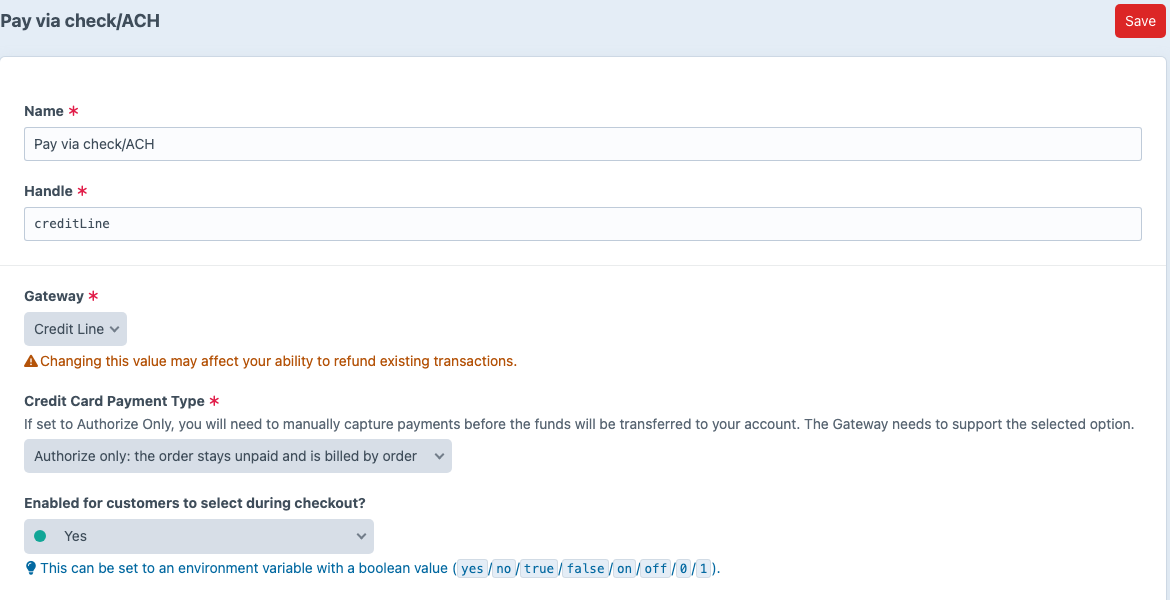
Go to Commerce -> Settings -> Gateways -> New gateway, choose Net Terms, and name it. Choose how you bill in Credit Card Payment Type before you take any charges:
- Purchase, the default, marks an order paid at checkout and bills the account on invoices you issue. This walkthrough uses it.
- Authorize only leaves each order unpaid, and you record payments against the orders; see billing by order.
Click Save. Use Commerce’s Match Order, Match Billing Address and Match Shipping Address conditions to narrow which orders can use the gateway.
5. Open an account#
Go to Net Terms -> Accounts -> New account.
- Choose the Account holder: the customer the account belongs to. The holder becomes the account’s first buyer.
- Enter the Credit limit.
- Leave Sublimits and Payment terms on their defaults.
- Click Save.
6. Add a buyer#
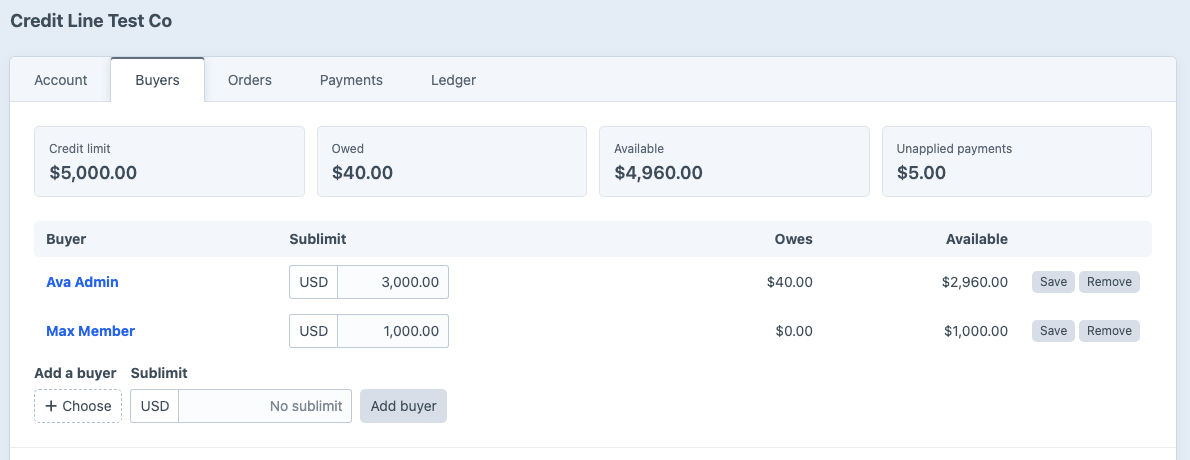
Only buyers can charge orders to an account, and the holder already is one. To let someone else buy on it, open the account’s Buyers tab, choose a user, leave Sublimit blank, and click Add buyer.
7. Charge an order#
Sign in to the storefront as the buyer and check out. Commerce lists the gateway with your other payment methods under the name you gave it, with the buyer’s available credit. Choose it and pay. The order is paid in full, and the account’s Owed figure rises by the order total.
8. Issue an invoice#
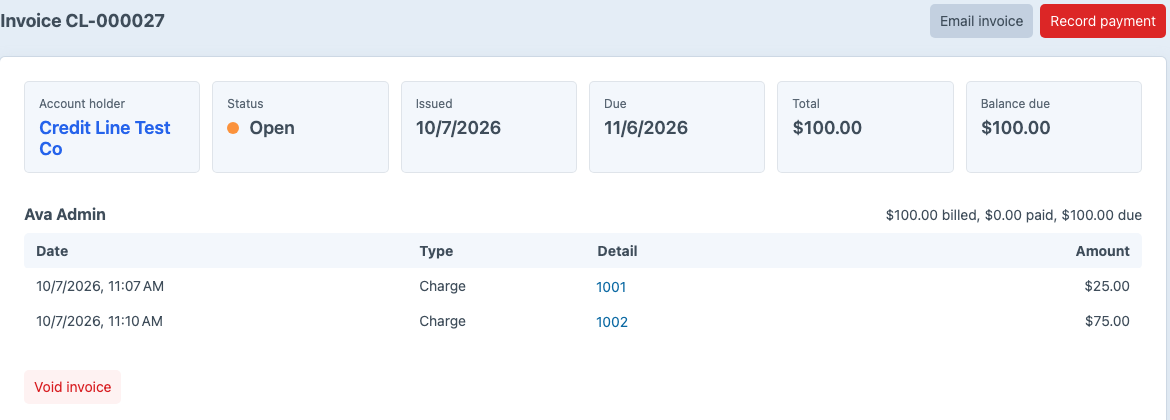
On the account’s Invoices tab, click Issue and email. The invoice bills every charge not yet invoiced, with one line per buyer, and the holder receives the invoice email.
Where to go next#
- Accounts and buyers, sublimits and how Net Terms works out available credit
- Payments, recording a check and applying it to invoices
- Reminders, emailing customers before and after a due date
- Storefront templates, building the account and invoice pages
- Company accounts, when orders belong to a company rather than the person who places them