Permissions
Which user groups and users can do what in Variant Manager. Set permissions at Users -> {group} -> Permissions or Users -> {user} -> Permissions.
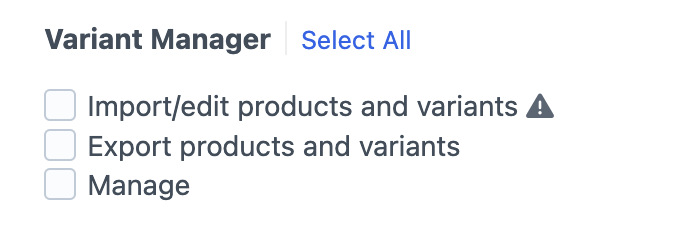
See permissions reference for the full list.
Choosing what to grant#
- Product team: grant
accessPlugin-variant-manager,variant-manager:import, andvariant-manager:export. They get the full import-edit-export round trip without touching plugin internals. - Support or read-only roles: grant
accessPlugin-variant-manageralone. They can see imports happen but cannot upload or export. - Merchandisers: add
variant-manager:manage-attributeson top of the product team set, so they can edit attribute and option titles, display types and custom fields without running imports. Field layouts stay admin-only. - Admins or operations leads: grant everything, including
variant-manager:managefor clearing logs andvariant-manager:manage-attributesfor editing attributes and running the utility.
Site admins bypass every permission check; they always have full access.
Warnings#
variant-manager:import carries a warning at the permission edit screen (“Imports can potentially overwrite existing variants”). The default existing-product import deletes any variant whose SKU is not in the CSV, so grant import access only to people who understand that behavior. See importing for the refresh-variants choices and what they do.