Activity log
Where to find a record of past imports, and how to keep it from growing forever.
What gets logged#
Every import attempt writes one row to the activity log, success or failure:
- Successful imports (green status dot): “Imported new product {title} into {product type}” or “Imported existing product {title} into {product type}”. The product title is a link to the product edit page.
- Failed imports (red status dot): “Failed to import {filename}: {error message}”. The error message is the same one the import threw, useful for diagnosing what went wrong.
- New attributes and options: “Created attribute Color” and “Created option Red under Color”, written when an import or the backfill registers a name or value for the first time. See variant attributes.
Each row records the user who triggered the import and the date.
Where to find it#
Variant Manager -> Dashboard.
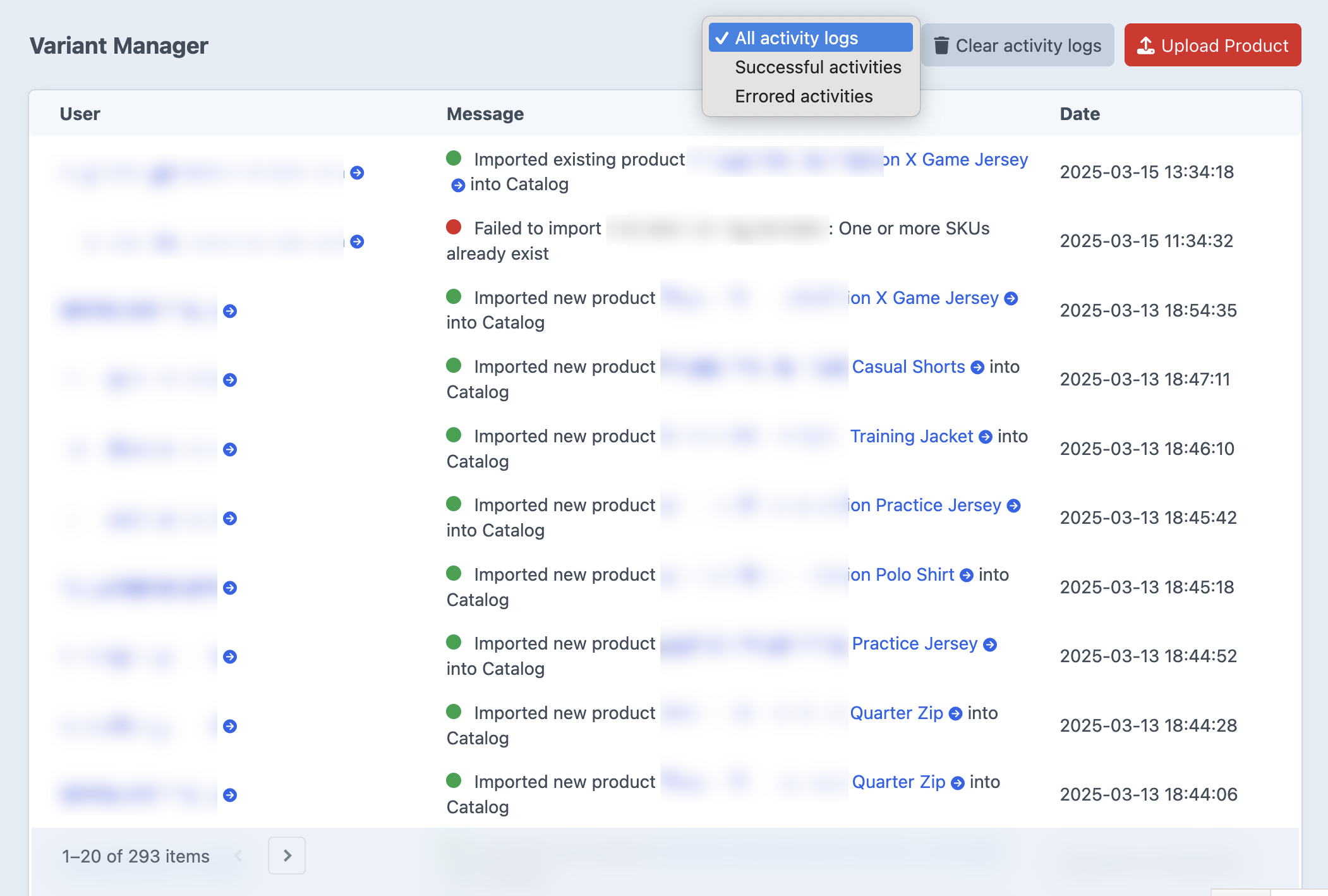
The dropdown next to the Clear activity logs button filters by status:
- All activity logs
- Successful activities
- Errored activities
Filter to Errored activities while debugging a failed batch.
Retention#
Rows are kept for as long as the activityLogRetention config setting says. Default: 30 days.
Cleanup happens two ways:
- Automatically, during Craft’s garbage collection (
./craft gcor whenever Craft schedules it). - Manually, by running the cleanup console command.
To keep logs forever, set activityLogRetention to false or null in config/variant-manager.php. The retention setting accepts any relative date string PHP understands: 1 hour, 1 day, 1 week, 1 month, 1 year.
Clearing the log#
Two ways:
-
From the dashboard: click Clear activity logs and confirm. Wipes every row regardless of age. Requires the
variant-manager:managepermission. -
Via console:
# Delete rows older than activityLogRetention (the default cleanup).
./craft variant-manager/activities/clear

# Wipe every row regardless of age.
./craft variant-manager/activities/clear 1
Either way, cleared rows are gone permanently; there is no trash to restore from.
Permissions#
variant-manager:manage is required to clear logs from the dashboard. Anyone with accessPlugin-variant-manager can read the log.
See permissions.